Reliable storage depends on more than disks and controllers; the connection between them matters too. A loose plug, mismatched interface, or poor termination can cause intermittent errors that are difficult to trace. That is why choosing the right Scsi Cable starts with checking the equipment, not just comparing prices.
The stakes are growing. IDC’s 2018 Data Age 2025 report forecast that the global datasphere would reach 175 zettabytes by 2025. That figure was a forecast, not a measurement of every organization’s storage, but it highlights the pressure on dependable data infrastructure. For SCSI systems, cable compatibility remains specific: connector type, bus generation, cable length, shielding, and termination all deserve a close look. Standards developed through the INCITS T10 technical committee help define SCSI interfaces, but a standards-compliant cable still must match the hardware in use.
Small details matter. A connector that fits may not be the correct electrical match, and cable performance can vary with installation conditions. I have to admit, product listings do not always make those distinctions easy to judge. This guide compares seven SCSI cable options for different storage setups, with practical attention to compatibility, construction, and reliability. Treat the recommendations as a starting point, then verify your device manuals before buying. The right cable is rarely dramatic. It simply keeps data moving.
Understanding SCSI standards starts with separating parallel SCSI from Serial Attached SCSI (SAS). They use different signaling, connectors, and cabling, so a cable that fits physically may still be incompatible. Parallel SCSI commonly uses 50-pin narrow or 68-pin wide connectors. SAS uses compact serial connectors and point-to-point links. Small details matter.
The T10 technical standards describe Ultra320 parallel SCSI at up to 320 MB/s, while SAS-3 specifies signaling up to 12 Gb/s per lane. These are interface limits, not promised file-transfer speeds; drive performance, controller configuration, and workload also matter. With parallel SCSI, cable length and termination are especially important because devices share a bus. SAS cabling usually avoids that shared-bus arrangement. Standards provide the numbers, but a crowded enclosure can complicate neat diagrams.
Choose cables by interface generation, connector type, device count, and routing distance. Check whether the setup needs an internal ribbon cable, an external shielded cable, or a SAS breakout cable. Confirm the controller and devices support the same SCSI family; adapters do not make every combination compatible. Look closely at the connector keying and cable labels before installation. A poor bend or loose connection can cause intermittent errors that resemble a failing drive. Cable charts can look cleaner than real racks, so verify the actual hardware and documentation.
A suitable SCSI cable must match the controller, drive, and storage enclosure—not just fit the socket. Parallel SCSI and SAS use different signaling, so their cables are not interchangeable. Check the interface type and connector at both ends before comparing cable options. Connector shape, pin count, and internal or external routing all matter. For parallel SCSI, confirm the bus termination and device IDs; incorrect settings can cause drives to disappear or transfers to fail. Small details matter. Cable length limits depend on the SCSI version, speed, and device arrangement, so verify them against the controller and drive documentation.
Storage needs shape the choice, too. Count the devices on the bus and note whether the system needs a straight-through cable, a daisy-chain connection, or an internal ribbon cable. More drives mean more attention to supported device counts, termination, and cable routing. Leave room for airflow, and avoid sharp bends near connectors. Do not guess. A cable that works on a short test run may behave differently inside a crowded enclosure. Shielding and secure strain relief can help reduce connection problems, but they cannot correct an incompatible interface. If faults appear intermittently, inspect the connectors and termination before blaming the drives. Cable selection is only one part of reliable storage, and that is easy to overlook.
Seven SCSI cables for reliable data storage cover different connectors and bus designs, not interchangeable upgrades. Common options include 50-pin internal ribbon, 50-pin external Centronics, 68-pin internal ribbon, 68-pin external high-density, VHDCI 68-pin, 80-pin SCA backplane connections, and LVD twisted-pair cables. The 80-pin connection usually mates a drive directly to a backplane, rather than acting as a conventional cable. Check the device manuals before ordering.
Performance depends on the whole SCSI bus. The SCSI Trade Association’s interface roadmap lists Ultra160 and Ultra320 peak transfer rates of 160 and 320 MB/s. Those are interface ceilings, not guaranteed file-copy speeds. ANSI INCITS standards also define electrical and signaling requirements; a matching pin count alone does not prove compatibility. Cable length, termination, device type, and single-ended or LVD signaling all matter. Labels matter.
For a practical check, inspect the connector shell, pin count, cable condition, and terminator placement before powering a storage chain. A cracked ribbon fold or loose external latch can cause intermittent errors that resemble a failing drive. Keep the cable as short as the setup permits, and follow the controller’s specified length limits. I still double-check termination; it is easy to overlook. A cable can look right and still be wrong.
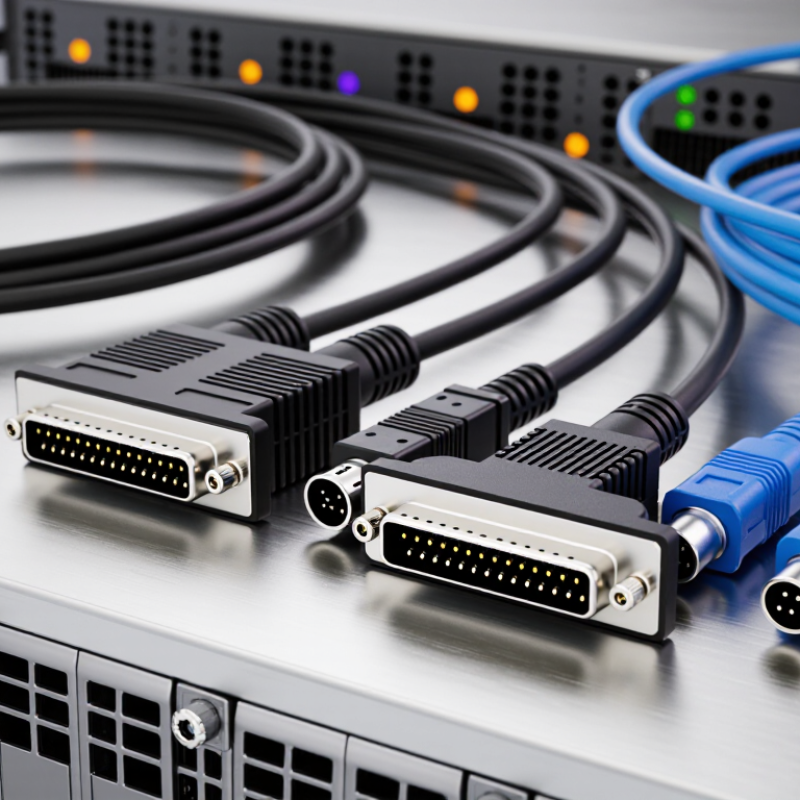
Matching a SCSI cable starts with the connectors on both the device and the controller. Count the pins, then check the connector shape. A 50-pin Centronics-style plug and a high-density 68-pin plug may look similar at a glance, but they will not mate. Internal drives often use flat IDC ribbon connectors instead. Check the device manual or label rather than guessing from a blurry product photo. A cable can fit physically and still be wrong for the bus. Small details matter.
Connector count is only part of the match. Confirm the SCSI type, cable direction, and whether the setup uses internal or external devices. For example, some 68-pin systems use a compact VHDCI connector, which differs from other 68-pin designs. Check termination, too: the two ends of a SCSI bus generally need proper termination, while devices in the middle should not add extra terminators. Keep the cable runs tidy and avoid sharp bends near the plugs. I would still verify the controller documentation before ordering; connector names are not always used consistently. A close fit proves very little.
Compare the contact counts of common SCSI connector configurations. Match the cable’s connector type and contact count to the device and controller; contact count alone does not confirm compatibility or data speed.
A reliable SCSI link starts with the right cable for the bus, not just a connector that fits. Check the controller and device documentation for interface type, supported speed, and total cable length. T10’s SPI-4 specification covers Ultra320 SCSI, with a peak transfer rate of 320 MB/s; that is a signaling limit, not a promise of real-world throughput. For LVD buses, keep the complete cable path within the specified 12-meter limit and use compatible terminators at both physical ends. One loose connector can spoil the test.
Power down before connecting devices. Seat each plug fully, secure its clips, and inspect the cable for crushed sections or sharply bent spots. Confirm that each device has a unique SCSI ID, and that termination is enabled only at the bus ends. Then power up and run the controller’s device scan. Copy a large test file in both directions, compare checksums, and review any parity or bus errors the controller reports. I would recheck the ID map before blaming the cable; it is an easy detail to miss.
Tips: Keep a simple test log: cable length, device IDs, transfer result, and errors. Change one thing at a time. If errors appear, reseat the connectors and retest with a shorter cable. T10 specifications define bus behavior, but actual stability still depends on the devices and installation. A clean first pass is reassuring, not conclusive.
| Cable Type | SCSI Interface | Typical Connector Format | Maximum Bus Transfer Rate | Typical Maximum Bus Cable Length | Best-Fit Use | Installation and Testing Tip |
|---|---|---|---|---|---|---|
| Legacy Narrow SCSI cable | SCSI-1, 8-bit, single-ended | 50-pin Centronics or 50-pin internal ribbon | Up to 5 MB/s | Up to 6 m, subject to the bus configuration | Older scanners, tape drives, and storage devices that use narrow SCSI. | Confirm the connector and pin count at both ends. Terminate both physical ends of the SCSI bus, not intermediate devices. |
| Fast Narrow SCSI cable | Fast SCSI, 8-bit, single-ended | 50-pin Centronics, HD50, or internal 50-pin ribbon | Up to 10 MB/s | Up to 3 m | Narrow SCSI devices requiring more bandwidth than basic SCSI-1. | Keep the complete bus cable run within the standard’s limit and check that every device on the bus supports the chosen transfer mode. |
| Ultra Narrow SCSI cable | Ultra SCSI, 8-bit, single-ended | 50-pin internal ribbon or external 50-pin connector | Up to 20 MB/s | Typically up to 1.5 m | Short, narrow SCSI chains where compact cabling and careful signal termination are practical. | Use a short, well-made cable and avoid unnecessary adapters. Check for bus errors during sustained reads and writes. |
| Ultra Wide SCSI cable | Ultra SCSI, 16-bit, single-ended | 68-pin internal ribbon or external 68-pin connector | Up to 40 MB/s | Typically up to 1.5 m | Wide parallel-SCSI systems that need a higher theoretical bus rate over a short cable run. | Use a correctly wired 68-pin cable and ensure the bus is terminated for the actual device arrangement. |
| Ultra2 Wide LVD cable | Ultra2 SCSI, 16-bit, low-voltage differential (LVD) | 68-pin internal ribbon or external 68-pin connector | Up to 80 MB/s | Up to 12 m | LVD storage chains that need longer cable runs than single-ended SCSI permits. | Use LVD-rated cabling and an LVD-compatible terminator. A single-ended device on the bus can cause the bus to operate in a slower mode. |
| Ultra160 LVD cable | Ultra160 SCSI, 16-bit, LVD | 68-pin internal ribbon or external 68-pin connector | Up to 160 MB/s | Up to 12 m | Wide LVD storage systems designed for Ultra160 operation. | Inspect connectors for bent pins and verify that the controller, devices, cable, and terminator all support LVD operation. |
| Ultra320 LVD cable | Ultra320 SCSI, 16-bit, LVD | 68-pin internal ribbon or external 68-pin connector | Up to 320 MB/s | Up to 12 m | Compatible high-speed parallel-SCSI systems with a properly configured LVD bus. | Use a cable and termination setup suitable for Ultra320 signaling. Test with sustained transfers and review the controller for parity, timeout, or reset errors. |
Note: Transfer rates are theoretical interface maximums, not guaranteed real-world speeds. Cable-length limits apply to the complete bus and can vary with the SCSI specification, device count, and single-ended or LVD signaling. Match the cable, connectors, terminators, controller, and devices before installation.
Watch video