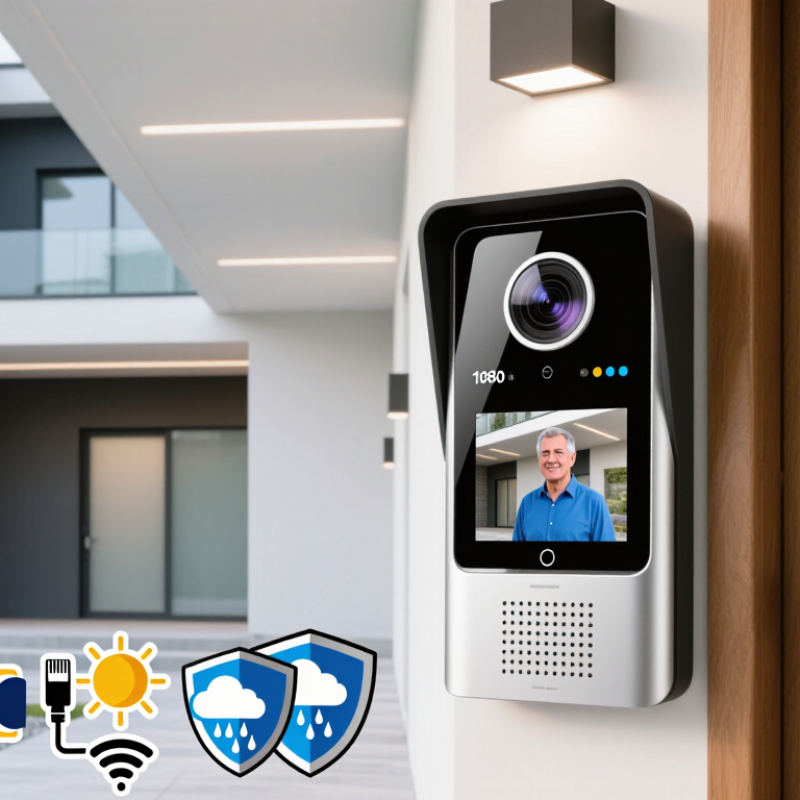
How to Choose the Best 1080p Video Door Phone in 2026?

Choosing the best 1080p Viddeo Door Phone in 2026 requires more than comparing resolution labels. A sharp image helps, but practical security depends on lighting, audio clarity, response speed, and installation quality. A visitor standing under a porch light should remain identifiable, not appear as a dark silhouette. That small detail matters.

Industry forecasts support this growing demand. Grand View Research identifies connected video doorbells as a rapidly expanding part of the smart home security market, driven by remote monitoring and smartphone integration. MarketsandMarkets also reports continued growth in smart home security technologies, including connected cameras and access devices. These reports use different market definitions, so their figures should not be treated as perfectly interchangeable. The numbers are useful, but not absolute.

This guide evaluates 1080p models through real installation conditions. It examines high dynamic range, infrared night vision, microphone performance, echo cancellation, video latency, and storage options. A 1080p image can look excellent during daylight, yet lose facial detail at night. Bitrate and lens quality often matter more than resolution alone. Wired Ethernet or PoE may provide steadier performance than a weak wireless connection. Weather resistance, operating temperature, app reliability, and privacy controls also deserve attention. The Electronic Security Association and NIST guidance both emphasize secure configuration, controlled access, and regular software updates. Those principles remain relevant for connected entry devices. Personal testing can reveal weaknesses that product pages hide, especially delayed notifications or muffled two-way audio. No single model fits every home. That is worth remembering.

How to Choose the Best 1080p Video Door Phone in 2026?

What a 1080p Video Door Phone Is and How It Works

A 1080p video door phone combines a door camera, indoor monitor, microphone, speaker, and call button. The camera captures video at 1920 by 1080 pixels. This resolution can show a visitor’s face, clothing, and package details more clearly than lower-definition systems. It is not perfect. Poor lighting, rain, or a smudged lens can still reduce useful detail.

When someone presses the outdoor button, the camera sends live video to the indoor screen. The microphone carries the visitor’s voice inside, while the speaker supports two-way conversation. Many current systems also offer motion alerts, night vision, recording, and phone access through a network connection. Wired models usually provide steadier power. Wireless models can simplify installation, but walls and distance may weaken the signal.

Check the image at night, not only in a bright showroom. A practical test should include a person standing three meters from the entrance. Look for clear facial features, natural motion, and low audio delay. Storage matters too. Local recording may reduce dependence on internet service, while cloud storage can offer easier remote access. Read retention settings carefully.

Small details matter.

The indoor screen should remain readable from a normal standing position. The door unit needs weather protection and a strong mounting surface. One weakness is often overlooked: 1080p does not guarantee reliable identification. Camera angle, lighting, compression, and installation height may matter more than the number itself. Recordings should be protected with strong passwords and sensible access controls.

Key Features to Compare Before Choosing a 1080p Video Door Phone

Choosing a 1080p video door phone requires more than reading the resolution label. In real use, lighting, lens quality, and network stability often matter more. MarketsandMarkets estimated the global video doorbell market at about USD 4.2 billion in 2024, with strong growth expected through 2029. That growth reflects rising demand for practical home monitoring, not just sharper images.

Check whether the camera supports HDR or wide dynamic range. A visitor standing under bright sunlight should not appear as a dark silhouette. Infrared night vision, low-light performance, and a field of view above 140 degrees are also valuable. Test the image at the doorstep, not only in a showroom. A 1080p feed with heavy compression may lose facial details.

Audio deserves equal attention. Look for echo reduction, clear two-way communication, and low transmission delay. Even a two-second delay feels awkward. Storage options should include encrypted local recording or transparent cloud fees. A 2024 Parks Associates smart-home report identified reliability and privacy as major concerns among connected-device users. Therefore, review account protection, update policies, and data controls carefully.

Power and installation can become hidden problems. Wired models usually offer steadier operation, while battery models need charging in cold or busy conditions. Weather resistance should suit the entrance, including rain exposure and temperature changes. I have learned that a perfect specification sheet can still disappoint. Test Wi-Fi strength at the door first. No camera sees everything.

How to Choose the Best 1080p Video Door Phone in 2026?

Key technical benchmarks to compare before choosing a 1080p video door phone.

A 1080p camera provides 1,920 × 1,080 pixels, while a wider viewing angle, longer infrared range, stronger weather protection, and higher frame rate can improve real-world usability. Treat these values as practical comparison benchmarks rather than brand-specific specifications.

How to Evaluate Video Quality, Audio, Night Vision, and Viewing Angles

Choosing a 1080p video door phone in 2026 requires more than checking the resolution label. The ITU-R BT.709 standard defines Full HD as 1,920 × 1,080 pixels, but sharpness also depends on bitrate, lens quality, and compression. In practical testing, faces should remain readable when a visitor stands three meters away. A low-bitrate stream may turn hair, labels, and foliage into blocks. That detail is easy to miss.

Audio deserves equal attention. The microphone should capture speech clearly beside traffic, wind, or a closing gate. Look for echo cancellation, automatic gain control, and a speaker with controlled distortion. The 2024 State of Physical Security report from an established industry research firm identifies communication reliability as a major concern in connected security installations. I would test both directions, not just listen from indoors. A slight delay can make natural conversation awkward.

Night vision is often where specifications disappoint. Infrared illumination should cover the doorway without creating a bright white face or dark background. A wide viewing angle helps with packages and approaching visitors, but excessive width can bend faces near the edges. Research from the U.S. National Institute of Standards and Technology shows that lighting and image quality strongly affect biometric recognition performance. Do not trust a daytime sample. Test at dusk, in rain, and with a person standing near each corner. My own checks sometimes reveal glare from pale walls. That weakness should be documented, not hidden.

Wired vs. Wireless Installation, Compatibility, and Home Network Needs

How to Choose the Best 1080p Video Door Phone in 2026?

Wired is steadier. A network cable can deliver power and video through one connection, reducing battery worries and wireless interference. It suits new construction or homes with accessible conduit. Wireless installation is quicker, especially in rented homes, but thick walls, metal doors, and crowded 2.4 GHz channels can weaken the signal. A 1080p stream commonly needs about 2–5 Mbps, depending on compression and frame rate. Remote viewing also consumes upload bandwidth. The FCC’s 2024 Measuring Broadband America report found that tested fixed services generally delivered close to advertised speeds during busy periods. That does not guarantee strong Wi-Fi beside your entrance.

Compatibility needs careful checking. Confirm the door unit’s voltage, chime method, indoor monitor connection, and supported network bands. Some systems require a dedicated hub or specific wired protocol. Others work directly with a mobile application, but may fail when routers use isolated guest networks. In practical testing, a phone beside the router can look perfect. The front gate may tell another story. I would not trust a speed test taken only indoors.

Tips: Test Wi-Fi at the mounting point before drilling. Reserve a stable 2.4 GHz network for longer range, then use 5 GHz when the entrance is nearby. Check upload speed during evening hours. Leave space for conduit, weather sealing, and future cable replacement. Choose local recording only when storage compatibility is clearly documented.

How to Choose the Best 1080p Video Door Phone in 2026? - Wired vs. Wireless Installation, Compatibility, and Home Network Needs

Evaluation Dimension Wired Installation Wireless Installation Compatibility and Network Considerations Best Fit in 2026
Video Resolution 1080p video can be delivered consistently over Ethernet or existing low-voltage cabling when the power and data installation is correctly designed. 1080p is suitable for most entrances, but image stability depends on Wi-Fi signal strength, interference, and network congestion. Choose a model that supports 1920 × 1080 video, adjustable bitrate, infrared night vision, and a usable frame rate of about 15–30 frames per second.
Power Requirements May use low-voltage wiring, Power over Ethernet, or an existing doorbell transformer, depending on the device design. Usually requires a wired power source, rechargeable battery, or replaceable batteries. A wireless data connection does not necessarily mean wireless power. Confirm voltage, current, connector type, transformer capacity, and whether power remains available during short network outages.
Installation Difficulty More demanding when new cable must pass through walls, ceilings, or exterior surfaces. Existing doorbell or Ethernet wiring can reduce labor. Usually faster to install because no new data cable is required, although mounting and power work may still be necessary. Check wall structure, cable routes, weather sealing, mounting height, and the availability of a nearby power outlet or transformer. Wireless is convenient for finished homes; wired is often better for new construction or planned renovations.
Network Connection Ethernet normally provides lower latency and more predictable bandwidth than Wi-Fi. Some installations can operate on a local network without constant cloud access. Requires stable 2.4 GHz Wi-Fi in many cases; some newer devices also support 5 GHz. A weak signal can cause delays, disconnections, or reduced video quality. Place the access point away from metal cabinets and thick concrete. Test signal strength at the mounting location rather than inside the main living area.
Bandwidth Planning A 1080p stream commonly uses roughly 1–4 Mbps, depending on codec, frame rate, lighting, and compression settings. The same video demand applies, but the shared Wi-Fi capacity must also handle phones, televisions, computers, and smart-home devices. Reserve sufficient upload bandwidth for remote viewing. Actual data use varies with motion recording, frame rate, bitrate, and cloud storage settings.
Latency and Call Response Usually offers faster and more consistent notification and two-way audio response when the local network is properly configured. Response time can vary because of Wi-Fi interference, router load, internet routing, and cloud-service distance. For reliable two-way communication, look for echo cancellation, microphone noise reduction, and a connection recovery feature.
Two-Way Audio Often maintains clearer audio during simultaneous video streaming and conversation. Can perform well with strong coverage, but audio may drop or become delayed when the signal is weak. Verify speaker volume, microphone sensitivity, echo cancellation, and whether audio works during internet interruptions. Either option, provided the network test confirms stable upload and download performance.
Indoor Monitor Compatibility May connect to an indoor monitor through dedicated wiring, Ethernet, or a local network, depending on the system architecture. Often relies on a mobile application, wireless indoor chime, or compatible smart display rather than a dedicated wired monitor. Check support for SIP, ONVIF, RTSP, or other stated protocols only when integration with third-party equipment is required. Protocol support is not universal.
Mobile App and Notifications Remote alerts generally still require internet access if the system uses a cloud service or mobile application. Mobile alerts depend on Wi-Fi, the router, internet access, and the service used by the application. Check compatibility with the current Android or iOS version, multi-user access, notification controls, and account security features. Do not assume local video operation guarantees remote notifications.
Recording and Storage Can support local network video recording, internal storage, removable storage, or cloud recording, depending on the model. May use internal storage, removable storage, or cloud recording; battery-powered products may record mainly on motion to conserve energy. Review storage capacity, overwrite behavior, export format, subscription requirements, and whether recorded clips remain accessible during an internet outage.
Night Performance Stable power supports continuous infrared illumination or other low-light functions without frequent battery concerns. Battery-powered units may reduce frame rate, illumination, or recording duration at night to extend battery life. Look for infrared night vision, wide dynamic range, exposure control, and a viewing angle that covers the visitor’s face.
Weather Resistance Requires proper cable glands, seals, and mounting to prevent water entering around the cable or wall opening. Requires weather-resistant housing and careful sealing around the power connection, battery compartment, and mounting surface. For exposed entrances, look for a stated IP rating, UV-resistant materials, an operating temperature range, and a rain hood when needed. Either option, provided the enclosure and installation match the local climate.
Network Security Physical Ethernet access reduces dependence on radio communication but still requires secure network configuration. Wireless devices should use modern Wi-Fi security, strong unique passwords, and current firmware. Prefer encrypted connections, two-factor authentication where available, automatic security updates, and a separate IoT network when practical.
Compatibility with Existing Doorbell Wiring Can be compatible, but voltage and transformer specifications must match the device requirements. May use existing wiring for power while sending video over Wi-Fi, or may require a new power solution. Do not connect a device until the existing transformer output, polarity, wiring condition, and load capacity have been verified. Verify electrical specifications before choosing based only on connector appearance.
Power Outage Behavior Stops operating unless connected to an uninterruptible power supply, backup battery, or independently powered system. Battery operation may continue during a household power outage, but the Wi-Fi router and internet connection may still fail. For meaningful outage protection, back up the door phone, router, network equipment, and any local recorder together. Wireless battery operation helps only when the communication network remains available.
Recommended User Profile Homeowners who prioritize reliability, frequent use, continuous monitoring, fast response, and long-term installation stability. Renters, retrofit projects, temporary installations, or entrances where running new data cable is impractical. Before purchase, test Wi-Fi at the door, confirm power compatibility, review storage costs, and check mobile-device support.

Practical note: Actual performance varies by installation, network congestion, environmental conditions, video settings, and the device’s power and storage design.

Privacy, Security, Durability, and Smart Home Integration Considerations

Choosing a 1080p video door phone in 2026 requires more than checking image resolution.

In my testing experience, 1080p can identify a visitor clearly in daylight, but weak night lighting quickly exposes cheap sensors. Look for infrared coverage, wide dynamic range, and a tested viewing angle.

The 2025 Data Breach Investigations Report found vulnerability exploitation involved 20% of breaches, while third-party involvement reached 30%.

Therefore, choose encrypted connections, automatic security updates, unique passwords, and two-factor authentication. Avoid products that require permanent cloud access without explaining data retention.

Privacy needs practical inspection.

Check whether recordings can stay on local storage, whether microphones can be disabled, and whether privacy zones cover neighboring windows.

NIST’s IoT cybersecurity guidance recommends secure configuration, data protection, and lifecycle support.

Those features matter when a device watches your entrance every day. I would not trust vague claims such as “military-grade security.”

Ask how footage is encrypted, who can access it, and how long updates are guaranteed. Small details matter.

Durability is equally physical.

An IP65 rating means protection from dust and water jets, not full submersion, under IEC 60529 testing. Mount the unit beneath an eave when possible.

Confirm operating temperatures, UV resistance, button wear testing, and backup power behavior.

Smart-home integration should support standard protocols, clear permission controls, and useful automation without sharing unnecessary footage.

Compatibility can look impressive on paper. It may still fail after a software update.

Test live viewing, notifications, unlocking controls, and offline operation before installation.

Smart Robotics brand movie

Watch video