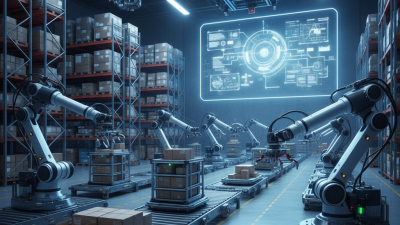
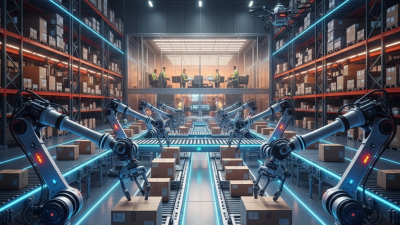
Warehouse picking is rarely a neat, repeatable task. One order may call for a small carton from a waist-high shelf; the next may involve a bulky item, a crowded aisle, or an unexpected stock gap. Picking robots can help move goods, retrieve items, or support workers, but their value depends on the job they are designed to handle.
This guide to the 7 Best Picking Robots for Warehouses in 2026 examines options through practical considerations: payload, navigation, picking method, software integration, and how each system fits existing workflows. A robot that performs well in a spacious facility may struggle where aisles are narrow or product locations change often. Details matter. So do setup time, maintenance needs, and the quality of support after installation.
The aim is not to name one universal winner. There isn’t one. Instead, this overview helps warehouse managers compare capabilities with day-to-day requirements, from order volume and item variety to worker interaction and available floor space. Product specifications can be useful, but they do not tell the whole story; real performance depends on layout, inventory accuracy, and process design. Even a capable robot can disappoint if those basics are overlooked. Use the comparisons as a starting point, then verify current specifications and test suitability against your own operation before making a decision.
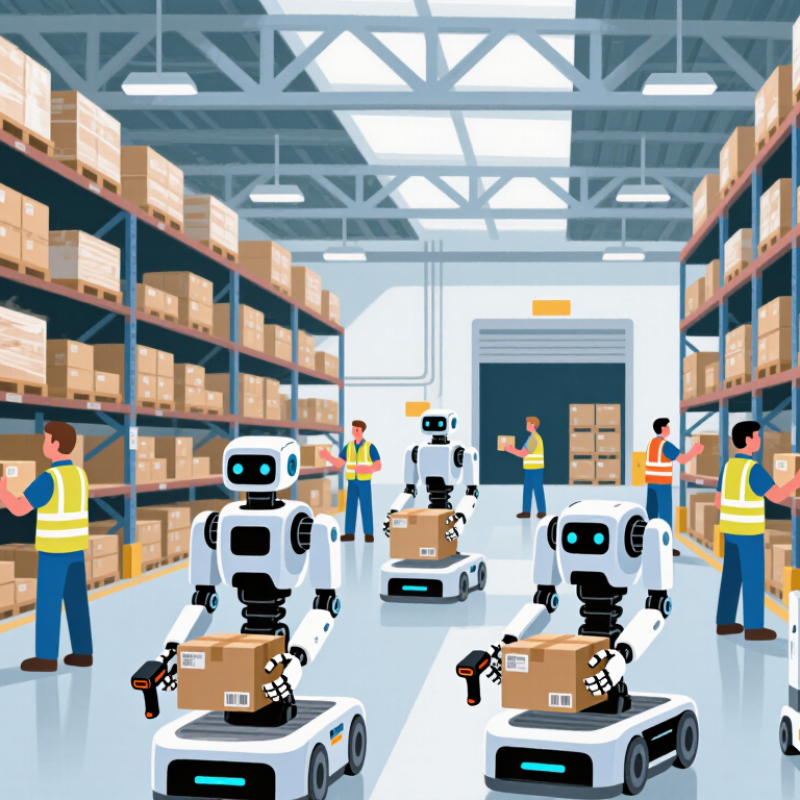
Warehouse picking robots help move inventory from storage locations to packing stations. Some mobile robots carry shelves or totes across marked aisles. Others use robotic arms to lift individual products. In goods-to-person workflows, a robot brings a storage unit to a worker, reducing long walks. The robot does not decide every order detail. Warehouse software assigns tasks and tracks progress.
A typical cycle starts with a digital pick list. The system sends a robot to a mapped location, where cameras, scanners, or other sensors help confirm the shelf and item. A mobile unit may stop beside a rack while a worker scans and places an item in a tote. An arm-based system may grip the product and transfer it to a bin. Sensors help detect obstacles and slow or stop movement near people. The completed pick is recorded, then the robot receives another task. Small details matter: glare on a label or a crushed carton can disrupt recognition.
Not every item cooperates. Soft bags, clear packaging, and tightly packed shelves can challenge automated gripping. Robots also depend on accurate inventory data and steady network coverage. Human workers still handle exceptions, replenish stock, and check unusual picks. A practical deployment measures pick accuracy, travel time, downtime, and safety events—not just units moved per hour. Results vary by layout and product mix, and that part is easy to underestimate.
Choosing a warehouse picking robot in 2026 starts with the work, not the machine’s headline speed. Map order lines, item dimensions, packaging, shelf heights, and seasonal peaks using real shift data. A robot that handles cartons well may struggle with glossy pouches, soft bags, or mixed bins. Small details matter. Test grasp accuracy across your actual product mix, including damaged labels and partly empty shelves. Measure picks per hour alongside mis-picks, recovery time, and human interventions. Peak speed alone can hide a slow exception process.
Evaluate navigation in narrow aisles, crowded crossings, and changing layouts. Check how the system yields to people, stops safely, and resumes after an obstruction. Confirm it connects reliably with warehouse management and inventory systems; a missed status update can send workers searching. Ask about battery strategy, charging downtime, spare parts, remote support, and on-site maintenance skills. Calculate total cost over several years, including integration, training, floor changes, and downtime—not just purchase price. Run a contained pilot during normal and peak conditions, then compare results with a manual baseline. A clean demo helps. Not always enough. Some aisles or products may remain better suited to people.
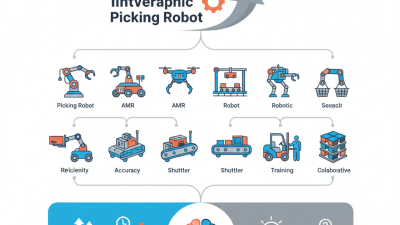
In 2026, the leading warehouse picking robots are different tools for different order profiles. Goods-to-person mobile robots bring shelves or totes to fixed stations, while picker-following robots reduce walking through long aisles. Tote-to-person systems move individual containers between storage and workers. Autonomous case-picking robots handle cartons for pallet building. Vision-guided robotic arms pick individual items, and mobile manipulators combine an arm with a moving base. Collaborative cart robots travel with staff and help organize picked orders. Their strengths vary: soft packaging, reflective surfaces, and mixed-size products can still slow automated picking.
Tips: Test robots with your actual products, not only sample cartons. Measure picks per hour, exception rates, and aisle congestion during a full shift. Test the awkward items.
A good fit depends on more than speed. Check how easily the system connects to inventory software, how quickly workers can clear a jam, and what happens when labels are damaged. Pilot in one zone before expanding. Even a strong robot may need human help on unusual orders; that limitation deserves honest planning, not optimistic estimates.
Picking robots are not interchangeable. A mobile shelf-moving robot brings an entire rack to a worker, reducing walking in high-volume operations. A tote-to-person system delivers selected bins, which can suit smaller goods and dense storage. Both depend on reliable inventory data; a misplaced item can stall the workflow.
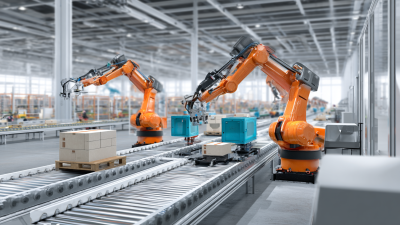
For individual picks, a vision-guided robotic arm can grasp cartons, bottles, or irregular objects, but reflective packaging and tangled items still cause errors. A fixed robotic arm is effective at a predictable station, while a mobile picking arm can travel between locations but adds navigation and safety demands. Cart-following robots help workers move orders through long aisles. Autonomous mobile robots can carry completed totes, though they do not pick items themselves. A hybrid system combines transport and robotic handling, but integration can be harder to maintain.
Compare each option against the actual task: item size, pick rate, order mix, aisle width, and required accuracy. Watch a test run. See what happens when a tote is half-full or a barcode is obscured. Throughput figures alone can mislead, and even a carefully planned trial may miss seasonal peaks. Human review remains useful for exceptions, especially when products vary more than expected.
How to read this chart: Scores indicate general task fit, not measured performance or a ranking of specific products. They reflect the typical strengths of each robot type; actual suitability depends on the items, layout, and workflow.
Choosing a picking robot starts with the work, not the machine. Map order lines, item sizes, travel paths, and peak-hour volume across a normal week. A robot suited to small cartons may struggle with soft bags or reflective packaging. Check aisle width, floor transitions, rack height, and turning space using real measurements. Small tests matter. Ask how the system handles empty locations, damaged labels, and orders that change mid-shift. These exceptions can expose gaps that a clean demonstration misses.
Before deployment, connect the robot to inventory and order systems, then test a limited zone during regular operations. Keep people nearby to review handoffs, blocked paths, and mis-picks. Set clear measures, such as picks per labor hour, order accuracy, downtime, and time spent resolving exceptions. Compare results with the same zone’s earlier performance, adjusting for order mix and staffing. Train workers on safe stopping, recovery, and escalation procedures; short practical drills often reveal confusing steps. Leave room for adjustment. Even a sound pilot can disappoint if replenishment timing or aisle traffic differs from the test. Review those details before expanding, and document who owns software updates, maintenance, and daily issue reporting.
Watch video