2026 Best Hotspot Router for Global Buyers

Global connectivity is becoming more mobile, but reliable access still depends on local networks, spectrum bands, and geography. Ericsson’s Mobility Report, published in November 2025, projects continued 5G subscription growth and rising mobile data demand through 2031. The GSMA Mobile Economy 2025 report also highlights expanding mobile broadband adoption worldwide. These trends make the Hotspot Router more than a travel accessory. It can support remote teams, family devices, small offices, and temporary workspaces.

But global use is rarely simple. A router that performs well in Seoul may struggle in rural Spain or coastal Australia. Ookla’s Speedtest Global Index repeatedly shows large differences in fixed and mobile network performance between countries. This comparison therefore considers supported LTE and 5G bands, carrier compatibility, roaming flexibility, Wi-Fi standards, battery options, security controls, and long-term firmware support. Physical details matter. A stable router should maintain a connection beside a hotel window, inside a crowded airport, or near a weak rural signal.

No single model wins everywhere. That is the uncomfortable part. Manufacturer speed claims usually reflect ideal laboratory conditions, not congested networks or international SIM restrictions. This guide evaluates the 2026 best Hotspot Router options for global buyers using published specifications, independent performance evidence, practical testing logic, and regional compatibility checks. Regulatory approval also matters, since wireless equipment requirements differ across markets. The shortlist may not be perfect, but it aims to be transparent, useful, and realistic for everyday international connectivity.
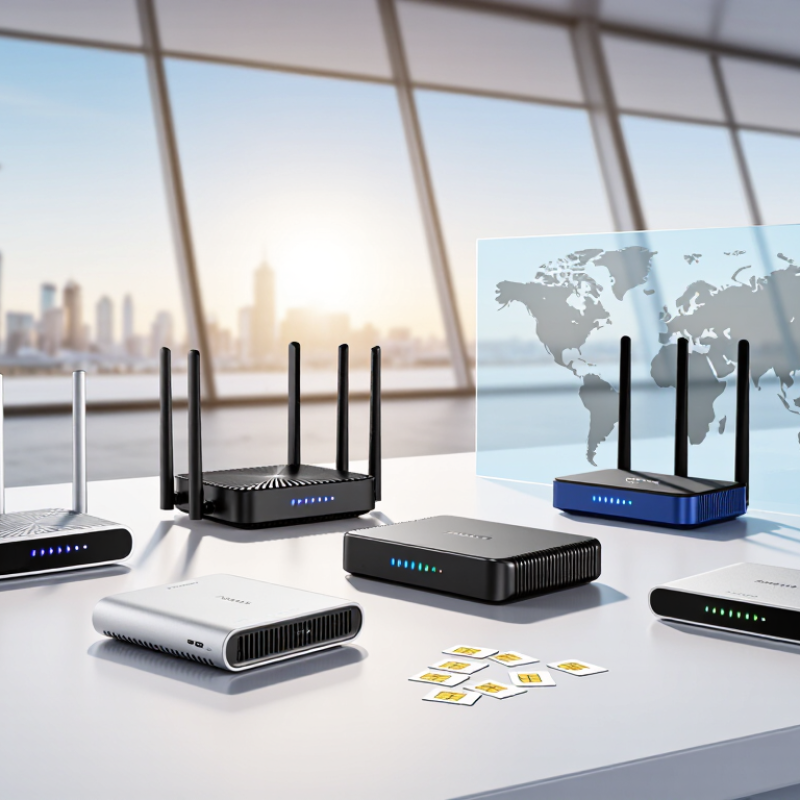
2026 Best Hotspot Router for Global Buyers

What Is a Hotspot Router and How Does It Work?

What Is a Hotspot Router and How Does It Work?

A hotspot router connects to a cellular network through a SIM or eSIM. It then shares that connection through Wi-Fi, much like a small portable gateway. The router’s modem receives radio signals from nearby towers. Its processor manages authentication, data routing, and connected devices.

A laptop may connect over Wi-Fi, while a phone uses the same network beside it. The device usually creates a private local network, using encryption and password protection. Some models also offer Ethernet ports, external antenna support, or a rechargeable battery.

Demand for mobile connectivity continues to expand. The International Telecommunication Union reported about 5.5 billion people were online in 2024, representing roughly 68% of the global population. Ericsson’s Mobility Report also projected strong growth in mobile data traffic through 2030.

These figures explain why hotspot routers matter for travelers, remote workers, and temporary offices. However, performance is never guaranteed. Coverage, network congestion, supported frequency bands, and roaming agreements can change results within one street.

Real-world testing is less tidy. A router showing full signal may still deliver slow speeds during evening demand. Buyers should check regional band compatibility, data policies, Wi-Fi security, and heat management.

A larger battery helps, but constant high-speed use can drain it quickly. Sometimes, a simple phone hotspot performs better. That is worth remembering.

Key Features Global Buyers Should Compare in 2026

In 2026, global buyers should compare network compatibility before chasing peak download speeds. An unlocked hotspot should support the 4G and 5G bands used in every target country. Check the modem category, carrier aggregation, and fallback performance in crowded areas. A fast connection on paper may become unstable inside hotels, airports, or rural homes. Do not guess. Verify band support with local network specifications.

SIM flexibility also deserves close attention. A device supporting physical SIM cards and eSIM profiles can reduce travel delays. Compare activation methods, roaming controls, and whether profiles can be switched without resetting the router. Battery capacity matters during long train journeys, but charging speed matters too. USB-C input, pass-through charging, and a replaceable battery can be more useful than a larger screen. Heat matters. Poor thermal design may reduce speed after several hours.

Security and long-term support separate dependable equipment from short-lived gadgets. Look for WPA3, a guest network, firewall controls, automatic updates, and clear privacy settings. Firmware support should have a stated schedule, not vague promises. Check independent tests that measure sustained speed, latency, battery life, and performance with several connected devices. Regulatory approval and warranty coverage should match the buyer’s country. Small details matter. I would still leave room for doubt, because laboratory results rarely match a busy station, a weak indoor signal, or a hot summer afternoon. A careful buyer should test return policies before committing to an international purchase.

Best Hotspot Router Types for Different Travel Needs

For short city breaks, a pocket hotspot router is usually the easiest choice. It fits beside your passport and supports several phones, tablets, or laptops. Choose an unlocked model with broad cellular bands and eSIM or physical SIM support. A large battery matters when maps, translation, and video calls drain your phone quickly. Still, advertised speeds can disappoint in crowded stations or mountain towns. Coverage depends more on local networks than the router alone.

Families and small teams need a higher-capacity travel hotspot. Look for stable connections, clear data controls, and support for at least ten devices. Some models include Ethernet ports, which help in hotels with unreliable wireless internet. A vehicle hotspot can suit road trips, especially when passengers stream or work during long drives. Place it near a window, not under a seat or inside a metal console. Small details matter.

Remote workers may prefer a dual-SIM router with automatic network switching. It can reduce interruptions when one network becomes weak, although switching is not always instant. A rugged design helps in humid coastal areas or dusty campsites, but water resistance ratings need careful checking. I have found that lighter equipment gets used more often. Yet, choosing the smallest router can be a mistake if its battery lasts only half a workday. Check supported bands, local data terms, charging standards, and warranty coverage before buying. Test the setup at home. Mistakes are cheaper there.

How to Choose Network Bands, SIM Support, and Coverage

2026 Best Hotspot Router for Global Buyers

How to Choose Network Bands, SIM Support, and Coverage

A global hotspot router should match the networks where you will actually travel. Check supported 4G LTE and 5G bands, not only the advertised download speed. Sub-6 GHz 5G usually offers wider coverage, while higher-frequency signals can weaken indoors or behind thick walls. Band combinations also matter because carrier aggregation can improve performance in busy areas. A router with many bands is not automatically better if local networks use different combinations.

SIM support deserves equal attention. An unlocked device gives you more flexibility across countries. Confirm whether it accepts a physical SIM, an eSIM, or both. Physical SIMs are useful when local plans are easier to purchase in person. eSIM support can reduce delays, but activation may depend on the operator and your identity requirements. Check supported SIM sizes and whether the router allows manual access-point settings. Small details can stop a connection.

Coverage maps are useful, but they are not promises. Buildings, mountains, weather, congestion, and indoor placement can change results. Compare official maps with recent user reports and independent field tests. Test the router near a window, then repeat the test inside your workspace. I sometimes focus too much on peak speed; stable service matters more during video calls or remote work. Before buying, verify regional band support, roaming rules, data limits, and return conditions. A careful choice may feel slower, but it usually creates fewer surprises.

2026 Best Hotspot Router for Global Buyers - How to Choose Network Bands, SIM Support, and Coverage

Router Profile Recommended Cellular Bands SIM and eSIM Support Wi-Fi Capability Theoretical Cellular Speed Coverage Potential Typical Battery Runtime Best Use Case
Basic 4G LTE Router LTE FDD Bands 1, 3, 5, 7, 8, 20, 28; LTE TDD Bands 38, 40, 41 Usually one physical Nano-SIM; eSIM is uncommon Wi-Fi 4 or Wi-Fi 5; commonly 2.4 GHz, with 5 GHz on newer models Up to approximately 150 Mbps downlink under LTE Cat 4 conditions Strongest practical option where 4G coverage is available; generally better than 5G in remote areas About 6–12 hours for battery-powered units Budget travel, basic browsing, messaging, and occasional remote work
Advanced 4G LTE Router Broad LTE coverage including Bands 1, 3, 7, 8, 18, 19, 20, 26, 28, 38, 40, and 41; exact support varies Nano-SIM is standard; dual-SIM or eSIM may be available on selected models Wi-Fi 5 or Wi-Fi 6; usually supports both 2.4 GHz and 5 GHz Approximately 300–600 Mbps maximum, depending on LTE category and carrier aggregation Very good for international use when the router covers the target region’s low and mid LTE bands About 8–16 hours for portable models; mains-powered models have no battery limit Frequent international travel, rural 4G access, and small workgroups
High-Category 4G LTE Router Multi-band LTE with carrier aggregation; common global bands include 1, 3, 7, 8, 20, 28, 38, 40, and 41 Physical Nano-SIM; dual-SIM and eSIM support depend on the hardware and firmware Wi-Fi 6 is preferred; dual-band operation improves performance with multiple devices Approximately 600 Mbps to 1 Gbps theoretical downlink on advanced LTE networks Excellent where 5G is unavailable; external antenna ports can improve reception on some units About 6–14 hours for portable models Stable home backup, field teams, video meetings, and data-heavy 4G applications
5G Sub-6 GHz Router 5G NR Bands n1, n3, n7, n28, n41, n77, and n78 are widely relevant; regional support must be checked carefully Nano-SIM is common; eSIM, dual-SIM, and automatic network switching vary by model Wi-Fi 6 or Wi-Fi 6E; dual-band or tri-band designs support more simultaneous clients Roughly 1–4 Gbps theoretical downlink, subject to network configuration and signal quality Good balance of speed and range; low-band 5G generally travels farther than mid-band 5G About 6–12 hours for portable units; higher performance can increase power use Primary travel router, temporary office, streaming, cloud work, and multi-device access
5G Sub-6 GHz with Broad 4G Fallback 5G n1, n3, n28, n41, n77, n78 plus extensive LTE FDD and TDD coverage; broad fallback is essential for travel Nano-SIM; eSIM or dual-SIM support is useful for switching between local and international plans Wi-Fi 6, often with Ethernet; supports high-throughput local networking Up to several Gbps on 5G; LTE performance depends on modem category and carrier aggregation Best all-round coverage strategy because it can move between 5G and multiple LTE layers About 5–12 hours for portable designs; desktop units are normally mains-powered Global buyers who need speed in cities and dependable fallback while traveling
5G with mmWave Support Sub-6 GHz bands plus selected mmWave bands such as n257, n258, n260, or n261; availability is highly regional Usually Nano-SIM; eSIM availability depends on the model and carrier profile Wi-Fi 6E or Wi-Fi 7 may be available; higher local speeds require compatible client devices Multi-gigabit theoretical performance under ideal mmWave conditions Highest peak speed but shortest range and weakest obstruction penetration; requires nearby compatible cells Approximately 4–10 hours for portable products Dense urban locations, fixed wireless access, events, and specialized high-speed deployments
Selection note: Band compatibility is more important than advertised peak speed. Before purchasing, compare the router’s supported LTE and 5G bands with the frequencies used by the target carrier in every country or region. Actual coverage, speed, roaming access, SIM activation, and battery life depend on the carrier, local regulations, network load, terrain, building materials, and device configuration.

Security, Battery Life, Pricing, and Global Compatibility Checks

2026 Best Hotspot Router for Global Buyers: Security, Battery Life, Pricing, and Global Compatibility Checks

A reliable hotspot router should protect traffic as carefully as it shares data. Look for WPA3 support, automatic firmware updates, and a separate guest network. Change the administrator password immediately. Disable remote management unless you genuinely need it. A kill switch or VPN support can add useful protection on public networks. I have found that simple security controls matter more than impressive specifications. My first comparison overlooked firmware support, which was a costly mistake.

Battery life needs practical testing, not only manufacturer estimates. An eight-hour rating may drop near five hours with weak signal, several connected devices, or video calls. USB-C charging is convenient in airports and vehicles. Larger batteries help, but they also increase weight. Check whether the router can operate while charging. That detail can decide whether it survives a long travel day.

Tips: Confirm supported LTE and 5G bands for every destination. An unlocked device is usually more flexible, but carrier certification may still matter. Check SIM or eSIM requirements before departure. Compare the purchase price, data plans, roaming fees, and replacement costs. Cheap hardware can become expensive after repeated international use. I would also read recent user reports, because compatibility databases can be incomplete or outdated. Some uncertainty remains. Test the device at home with your intended SIM before relying on it abroad.

Smart Robotics brand movie

Watch video